
Describe it, or add a selfie.One sentence is enough: who is in the emote and what they do. Add a photo if you want a cartoon version of yourself.
AI Twitch Emote Maker – Animated Emotes in Seconds
Turn a selfie or one sentence into a custom animated emote: a transparent, looping GIF ready to upload to Twitch in about 20 seconds.
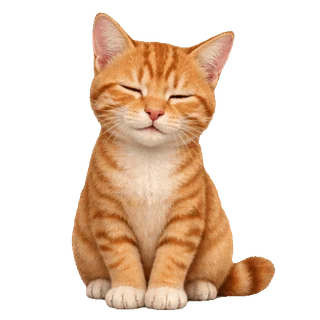
AI-generated
A sleepy orange cat that yawns, then waves hello
New accounts get a free text emote. Failed generations return your credits. Compatible with Twitch, not affiliated with or endorsed by Twitch.
EmoteLoop is a Twitch emote maker that draws a brand-new emote from your idea or your face — not a template, not a preset animation. Type what you want to see, add a photo if you want the emote to look like you, and download a file you can upload to your channel straight away.
A custom emote maker for your own channel
Most streamers get custom emotes one of two ways. You pay an artist $10–35 per emote on Fiverr or Etsy and wait for drafts. Or you take a static emote you already have and add one of Twitch's preset animations to it.
EmoteLoop gives you a third option. Describe the reaction your chat keeps asking for — a hype wave, a lurk peek, a GG thumbs-up — and get an original animated emote for your channel in about 20 seconds. Don't like it? Change a few words and generate again.
Generate my emote
How to make a Twitch emote in three steps
Press Generate.Your animated emote is usually ready in 15–30 seconds. You see it loop, at full size and at the small sizes chat really shows.
Download and upload.Grab the GIF and upload it to your Twitch emote settings. Twitch resizes it for you.
Animated Twitch emotes, ready to upload
Every generation gives you one emote in the formats you actually need:
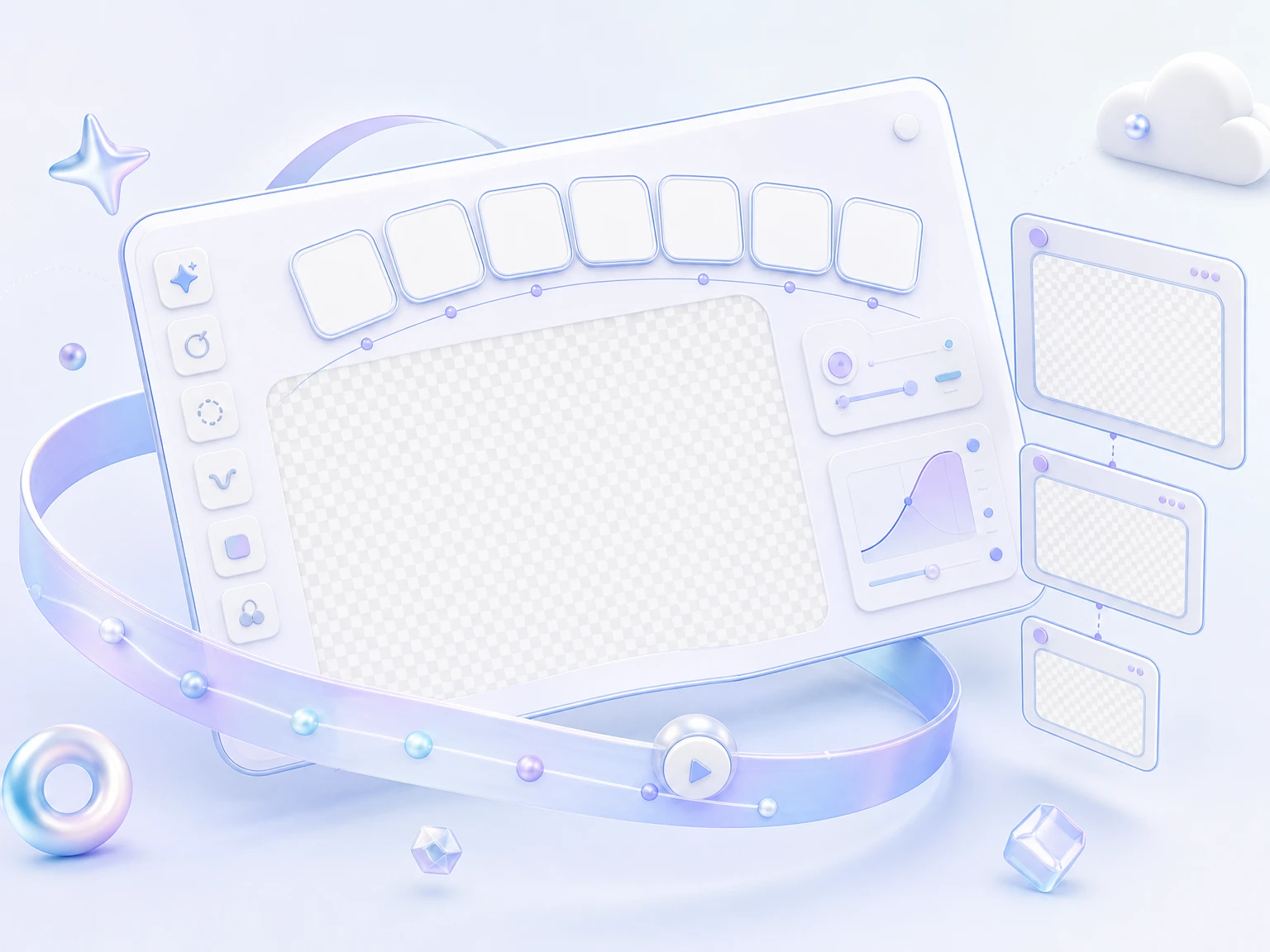
Animated GIF, 512 × 512.
Transparent background, 8 frames, loops forever, under 1 MB — the single file Twitch asks for when it resizes animated emotes automatically.
Static PNG.
Pick any frame and save it as a transparent 512px PNG for a regular emote. No extra credits.
Emote pack (zip).
Twitch 112, 56 and 28 px for manual upload, Discord 128 px under 256 KB, and Slack 128 px under 128 KB, each sorted into its own folder with a file list.
Real-size preview.
Check your emote at 112, 56 and 28 px on a dark, light, or checkerboard background before you download.
Before you see a result, EmoteLoop checks that it really moves, loops, and has a transparent background. If it doesn't pass, you get your credits back.
Turn your selfie into an emote your chat recognizes
Add a clear photo of yourself and describe the moment: “me laughing so hard I fall over”, “me sipping coffee, then giving a thumbs up”. EmoteLoop draws a cartoon version that keeps the features people know you for — hair, glasses, expression — and animates it.
Make one for the moment you go live, one for when you lose a close match, one for when a raid comes in. Each one is yours: your emote history stays private to your account.
Generate my emote
Emotes made with EmoteLoop
Each emote here came from one sentence or one photo, generated once, shown as-is.
AI-generated with EmoteLoop
“A sleepy orange cat that yawns, then waves hello” → animated emote
AI-generated

“A tiny robot that jumps and shouts with joy” → animated emote
AI-generated

“A frog wearing a headset that peeks in, then hides” → animated emote
AI-generated

“A penguin giving a slow thumbs-up” → animated emote
AI-generated

“A ghost that laughs until it spins” → animated emote
AI-generated

“A hamster pressing a big red button, then cheering” → animated emote
AI-generated
Twitch emote maker FAQ
Is EmoteLoop a free Twitch emote maker?
You can try it free: new accounts get enough credits for one text emote. After that, a text emote costs 4 credits and an emote from a photo costs 5. Credit packs start at $15 for 200 credits and never expire, or you can subscribe for monthly credits. Failed generations always return your credits.
Can I upload the GIF straight to Twitch?
Yes. Twitch resizes animated emotes automatically from a single square GIF up to 1 MB. EmoteLoop's GIF is 512 × 512 and under that limit. If you prefer Twitch's manual upload, the emote pack includes the 112, 56 and 28 px files.
What size should a Twitch emote be?
For an animated emote, Twitch takes one square GIF between 112 and 4096 px and under 1 MB, then makes the 112, 56 and 28 px versions for you. For manual upload, it wants three files at 112, 56 and 28 px, each under 512 KB. EmoteLoop gives you both: the 512 px GIF, plus the three manual sizes in the emote pack.
How long does it take to make an emote?
Usually 15–30 seconds. You watch the real status while it works, then see your emote loop at full size and chat size.
What makes a good emote description?
Name one subject and one action, like “a shiba that slams the desk, then cheers”. Emotes are read at 28 px in chat, so a bold face, a clear gesture and a few strong colors work better than a detailed scene. Leave words out of the emote; they can't be read at chat size. If a result is close, change one detail and generate again.
How is this different from Twitch's built-in animation?
Twitch's Easy Animate adds a preset motion to a static emote you already have. EmoteLoop draws a new emote, motion included, from your description or your photo — so the animation is whatever you describe.
Can I make an emote from my photo?
Yes, from a photo of yourself or of someone who agreed. Photos of other people without their consent, of minors, or of public figures are not allowed. Photos and descriptions are checked before generating; if one is blocked, you're told why and no credits are used.
Does it work for Discord and Slack emojis too?
Yes. Every emote pack includes a 128 px Discord GIF under 256 KB and a 128 px Slack GIF under 128 KB, along with the Twitch sizes.
Can I get a static emote as well?
Yes. Pick any frame of your animated emote and download it as a transparent 512px PNG. It doesn't use any credits.
Can I make emotes of game or anime characters?
EmoteLoop is for original emotes. Describe your own character or yourself; requests based on characters owned by games, anime studios, or brands may be blocked.
Who can see my emotes?
Only you. Every emote you make is saved to your private history, where you can download it again or generate a new version. There's no public gallery.
Is EmoteLoop part of Twitch?
No. EmoteLoop is compatible with Twitch but not affiliated with or endorsed by Twitch.
Your next emote is one sentence away
Describe it or add a selfie, and get a transparent, looping GIF ready for your channel.
Generate my emoteNew accounts get a free text emote. Failed generations return your credits.